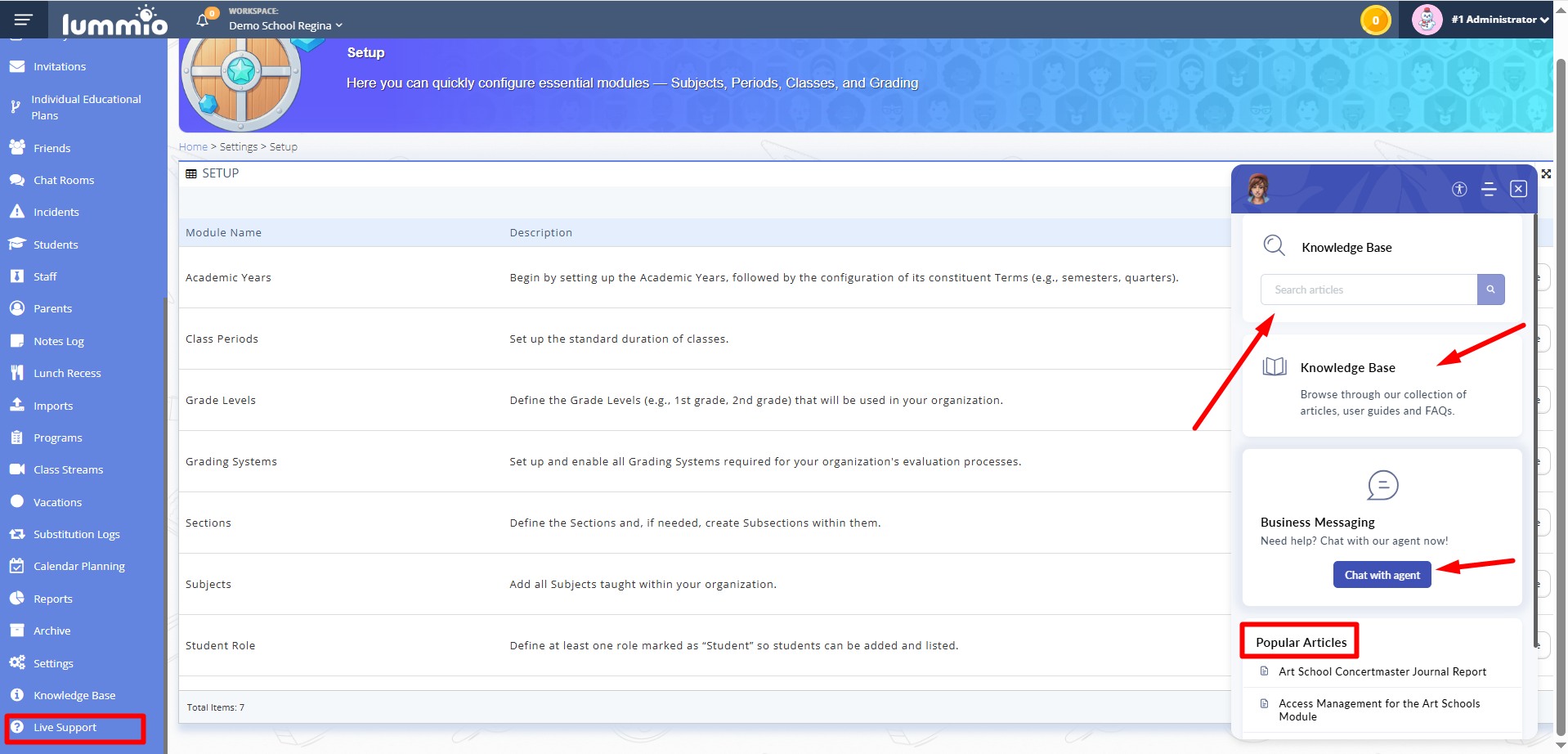
Go to the "Live Support" page in the panel menu on the left. Fig. 1. Opening the online support chat
The online chat window with the support team will appear.
Before contacting a support team, make sure that your question is not already covered in the Help Center (Knowledge Base). To do this, enter a keyword related to your question in the "Knowledge Base" field or click the "Knowledge Base" block. You will see a help center with all the up-to-date instructions on how to use the platform functionality. You may also find the "Popular Articles" section below the chat window helpful.
If, after reviewing the Knowledge Base, you still haven't found an answer to your question, click "Chat with an agent", then click "Start a Conversation".
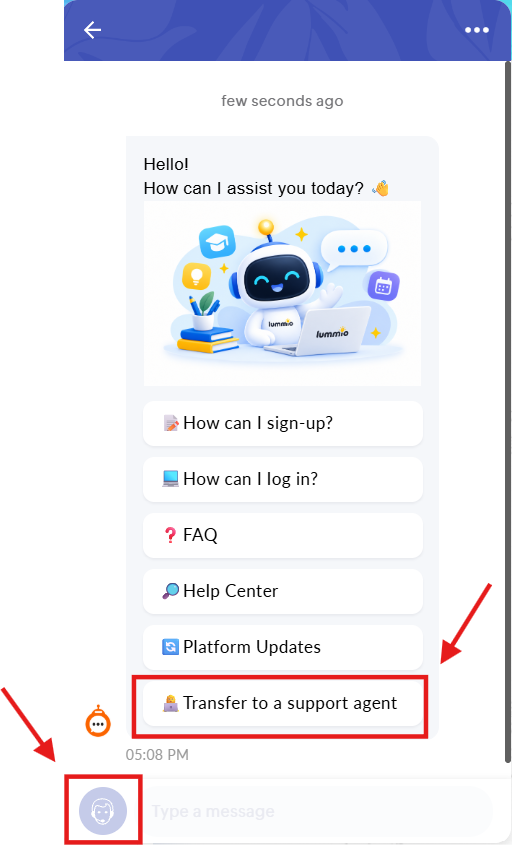
A chat options window will appear: chatbot or connection with a support agent. You can also connect with a support agent by clicking the headset icon in the lower-left corner of the chat window. Fig. 2. Initiating chat with the support agent
Contact the platform’s support team in the online chat with any questions regarding the use of the platform. When possible, provide screenshots of the issue and a detailed description.
Do not leave the chat session until your issue is resolved or you receive a response from the operator.
After your issue is resolved, end the chat session by clicking the three dots in the top right corner of the chat window and then click "End chat".